Demo portal

See the platform at work.

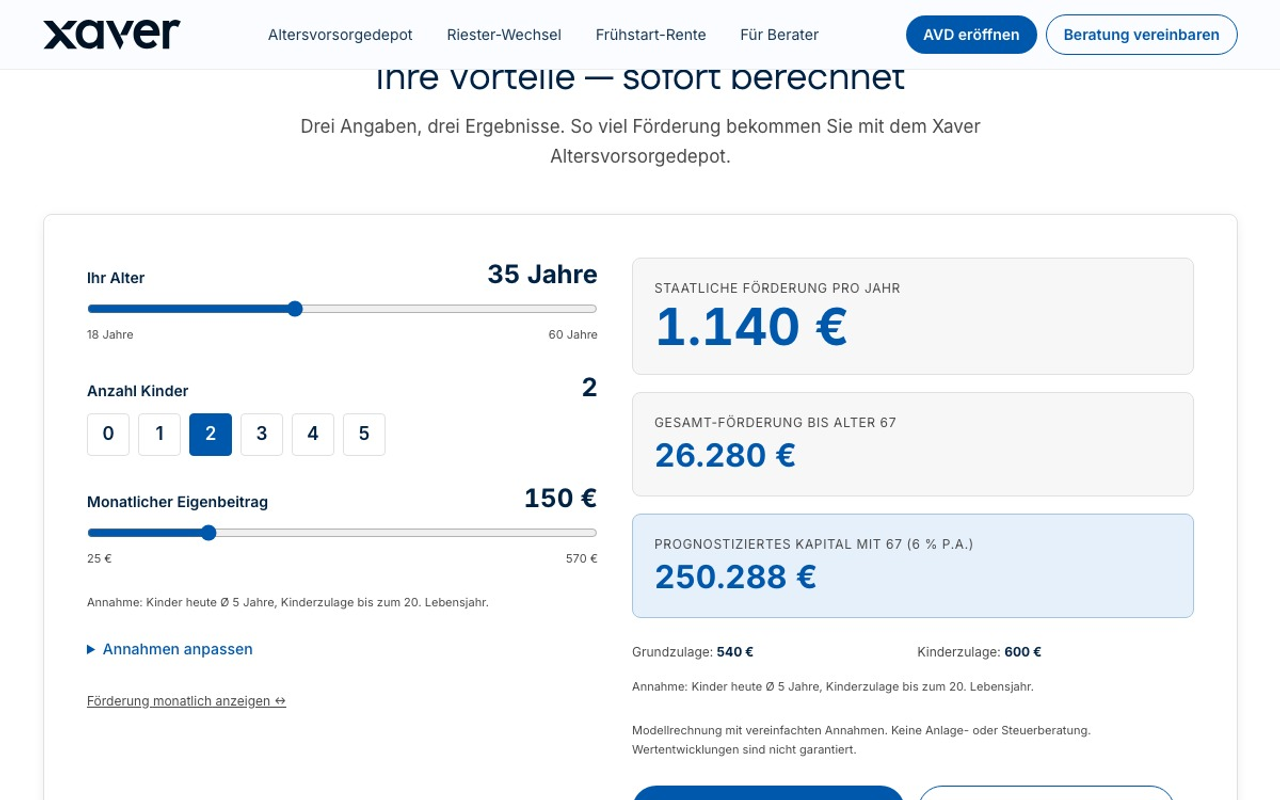
Six modules and one AI layer, each module with the screen your customers and your advisers actually see. The public calculators start right away; everything that assumes an adviser role we show in the demo environment.

AVD demo environment · test data
The AVD demo portal home page: the headline about the new pension account, three entry buttons, and on the right a photograph with a sample calculation of the basic allowance, the child allowance and the bonus laid over it.
Two ways in

Try it directly or use it in your advice sessions.

Book a meeting

In a dedicated session we go through your use case and show you the modules that matter for the implementation.

Demo access: Not needed for the tour or the three calculators. The demo environment itself is password-protected; we share the password on request, for example in the session.

The seven modules

One screen says more than a feature list.

AVD demo environment · test data
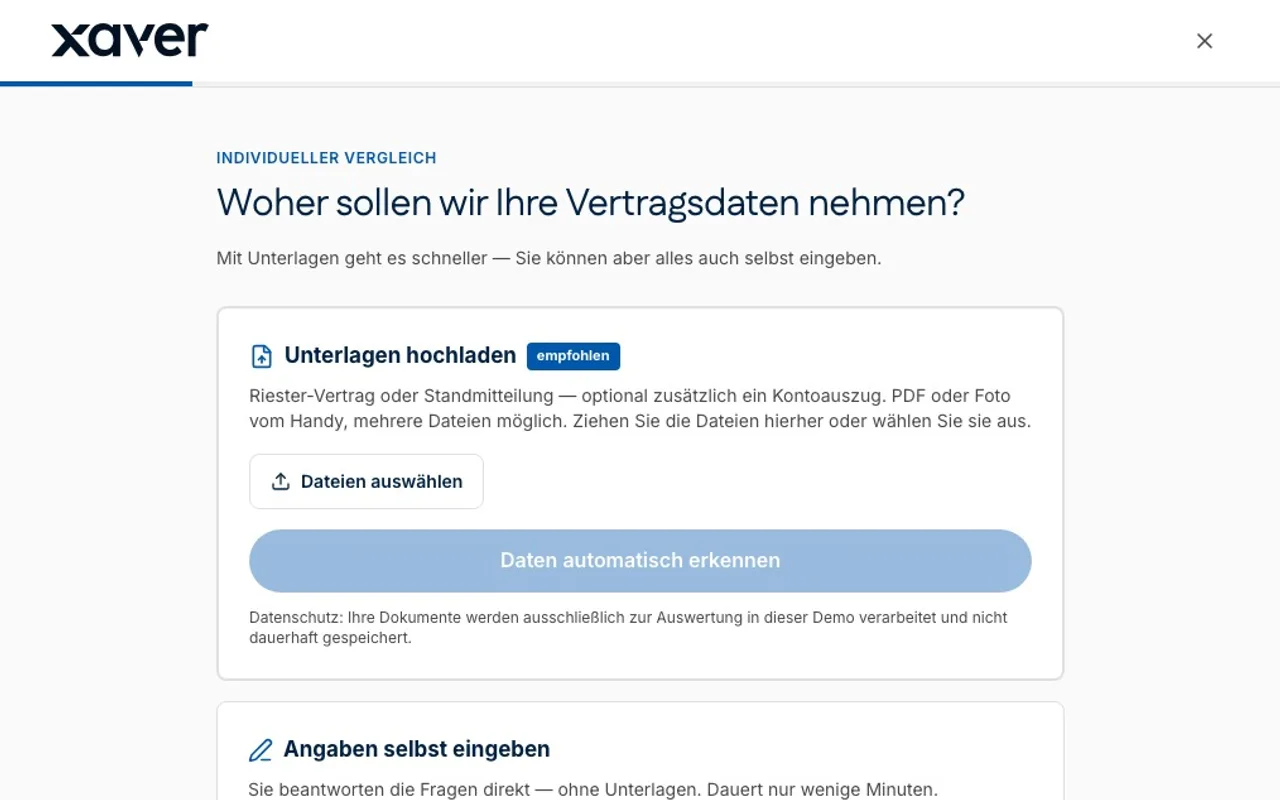
A tour of the switching service: the provider, balance, contribution and running cost of the existing Riester contract are captured, then the appetite for a guarantee, the payout form and inheritance; the transparency screen sets the contract's return after cost against that of a retirement account, and it ends on the four scored options with the recommendation.
Result page of the Riester comparison with its recommendation
02

Riester-to-AVD advice & switching service

The existing contract is assessed, the courses of action stand side by side with a rating, and the recommendation is documented. “Carry on as before” is a result too, which is exactly what makes the recommendation hold up in the advice record.

Start the tour →Demo access required
AVD demo environment · test data
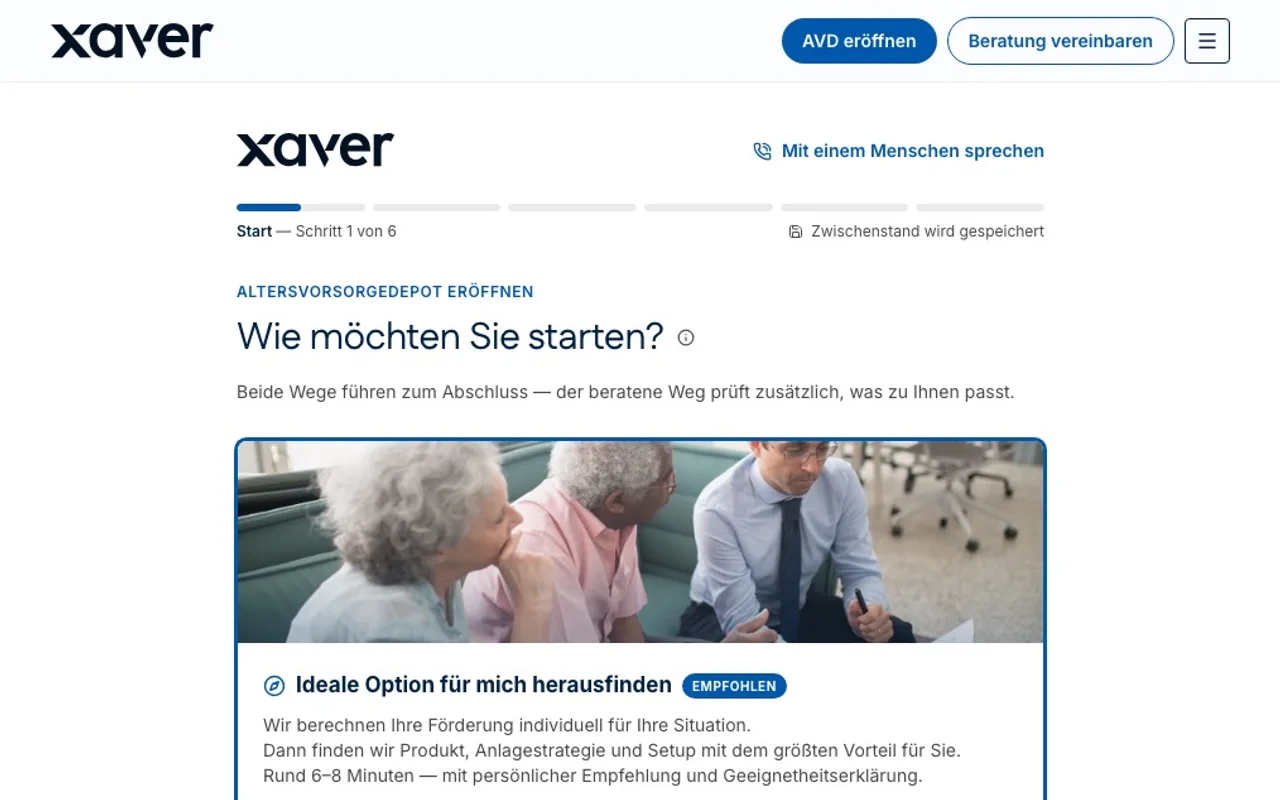
A tour of the completion journey on the express route: entry without advice, the statutory standard account at a glance, the suitability check with its seven questions, the subsidy-neutral transfer of an existing Riester balance, and finally the documents that sit ready before the contract declaration.
Entry into the completion journey, step 1 of 6
03In the demo environment

Hybrid advice & completion journeys

Two entry points into the same journey: the advised route with a recommendation and suitability statement, or the express route into the standard securities account. Progress is saved, and a switch into personal advice stays available at any point.

Start the tour →Demo access required

Protected because this module assumes an adviser role, not because we are hiding it.

AVD demo environment · test data
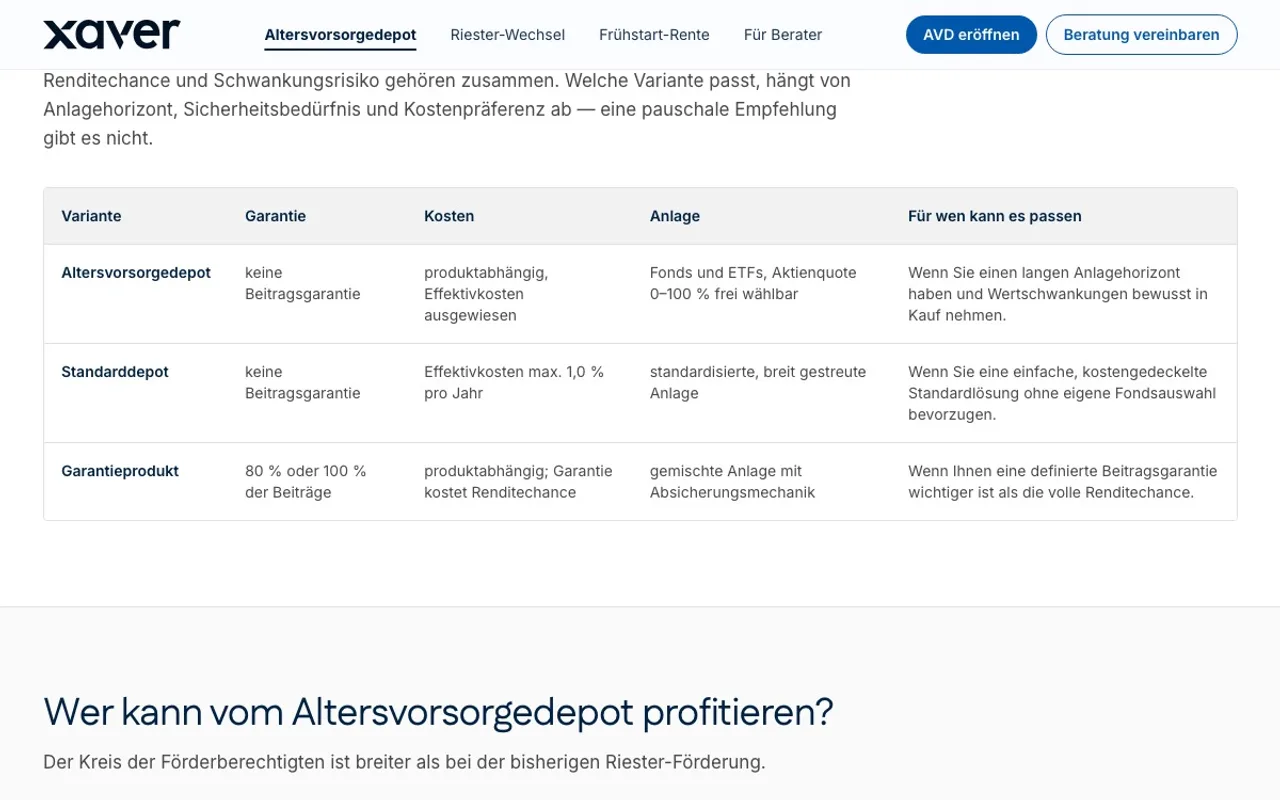
A tour of the product variants from the customer's view: the retirement account, the standard account and the guaranteed product side by side by guarantee, cost, investment and suitability, then who qualifies for the subsidy and the rules on tax, payout and what to do with an existing Riester contract.
Comparison of the subsidised product variants
04In the demo environment

White-label financial products

The subsidised variants stand side by side with guarantee, costs and investment approach, together with a note on whom each can suit. Customers decide along the same criteria the advice is later documented against.

Start the tour →Demo access required

Protected because this module assumes an adviser role, not because we are hiding it.

AVD demo environment · test data
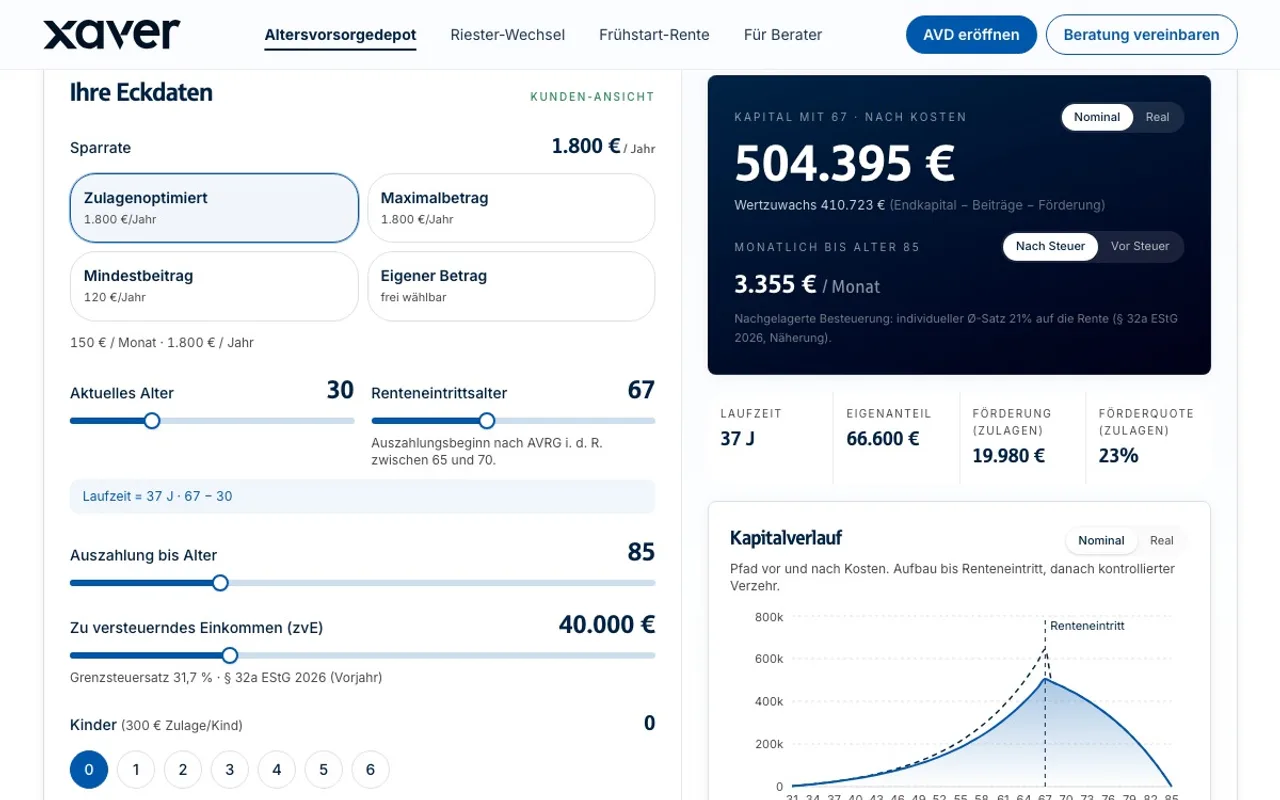
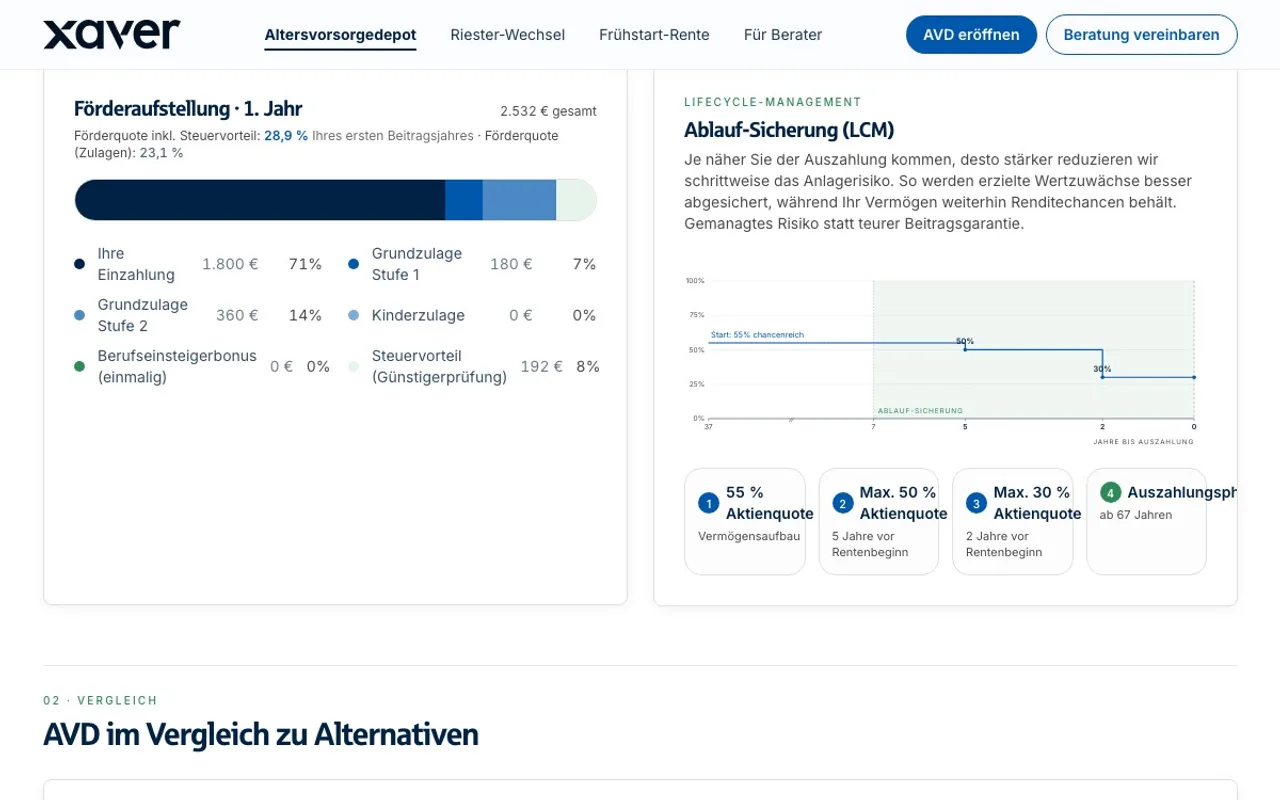
A tour of the glidepath from the customer's view: the first year's subsidy breakdown by contribution, allowances and tax relief, the four equity-quota stages down to the payout phase, a retirement date moved from 67 to 70 that rebuilds the curve and the stages, the comparison against the alternatives, and how the final capital is composed.
Subsidy breakdown and lifecycle de-risking
05In the demo environment

Asset management infrastructure

The final capital is broken down: own contribution, allowances and tax benefit shown separately, next to the lifecycle de-risking that steps the investment risk down towards payout. What the investment backend computes stays explainable in the conversation.

Start the tour →Demo access required

Protected because this module assumes an adviser role, not because we are hiding it.

AVD demo environment · test data
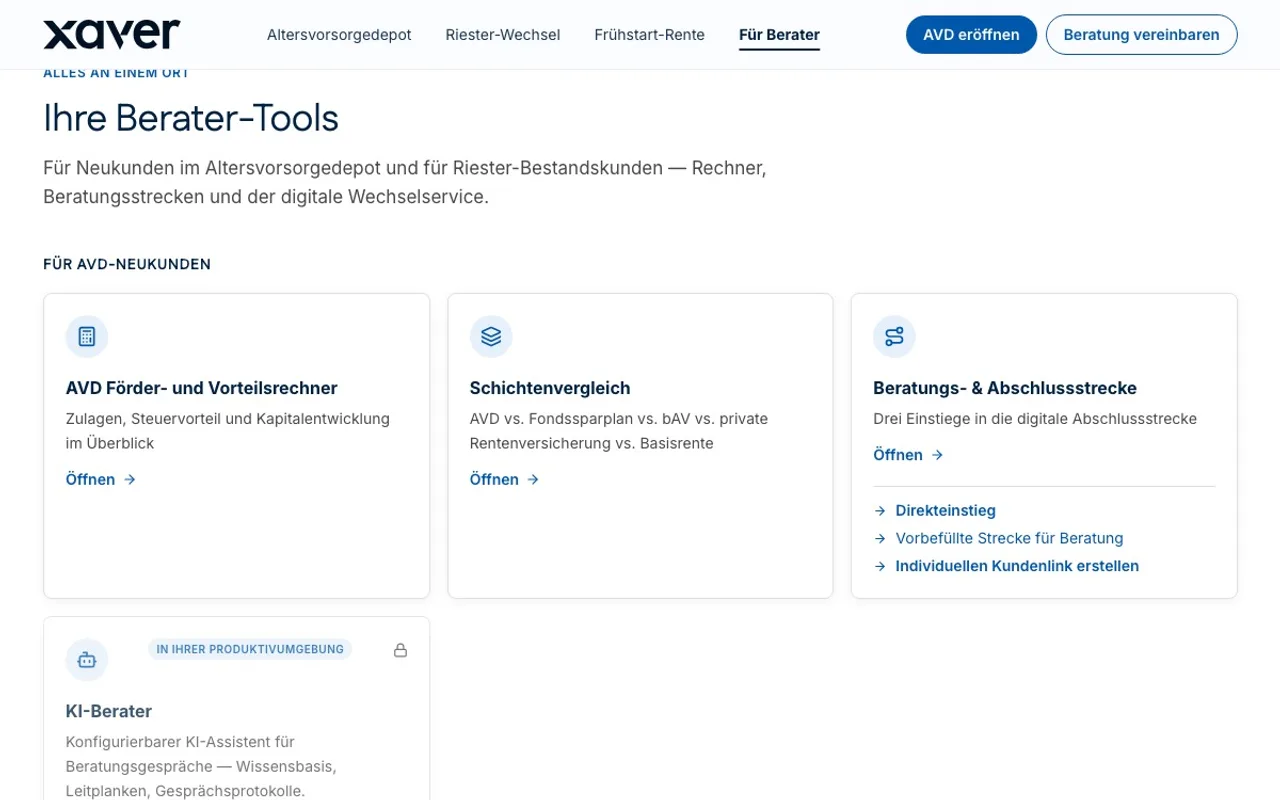
A tour of the adviser portal: the tools for new AVD customers with the advantage calculator, the pension-layer comparison and the three ways into the completion journey, below them the tools for the Riester book, the cards for contract check, digital mandate and automated application, the launch of the advice copilot, and finally a switch started straight from the portal through to sending the mandate for signature.
Tool overview in the adviser portal
06In the demo environment

Customer and adviser portals

Every tool in one place, split between new customers and the Riester book: calculators, layer comparison, completion journey, book assessment and letter generator. Advisers do not need to know which system something lives in.

Start the tour →Demo access required

Protected because this module assumes an adviser role, not because we are hiding it.

AVD demo environment · test data
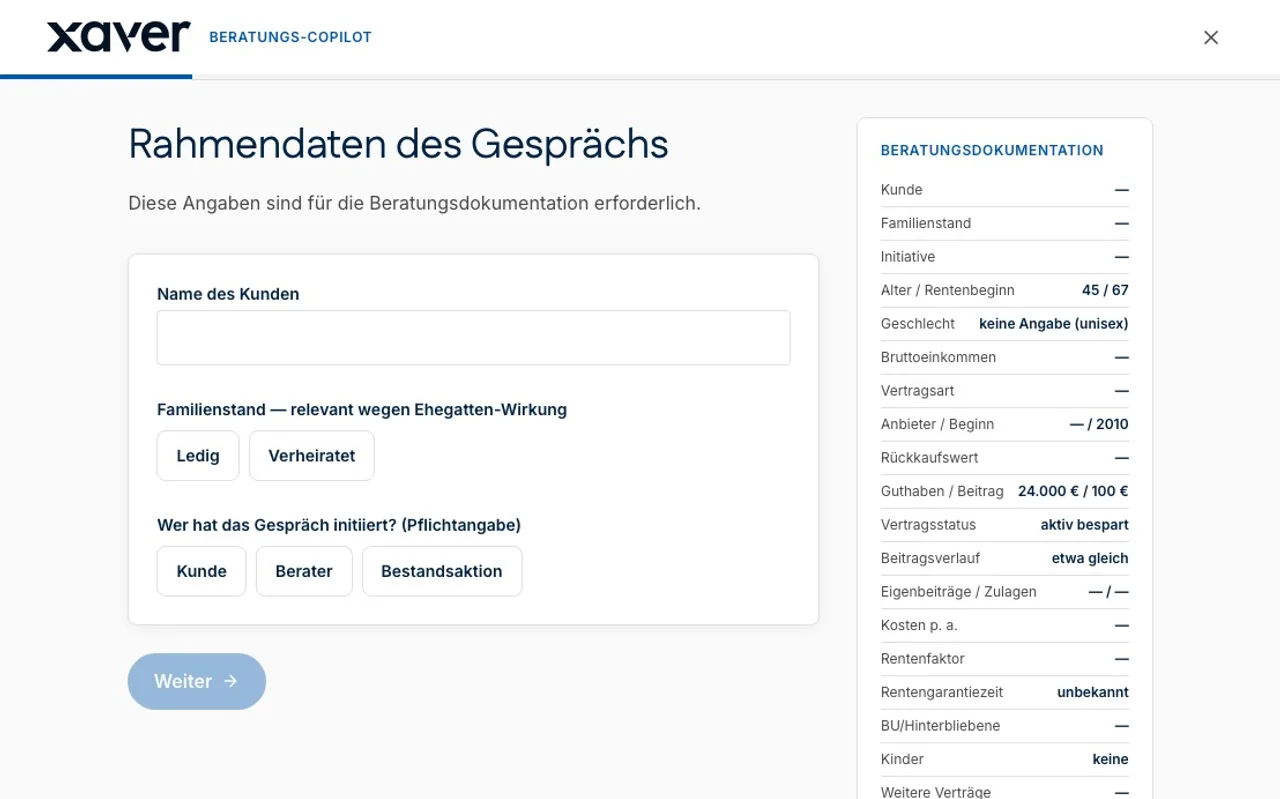
A tour of the advice copilot: the framing data of the conversation is captured, then the existing Riester contract by type, start date and surrender value, the personal and financial circumstances, and finally the total cost and contribution status, while the advice record writes itself line by line in the column beside it.
Advice co-pilot with the advice record filling in alongside
07In the demo environment

24/7 AI adviser & agentic commerce

The advice co-pilot runs alongside the conversation: it walks through the mandatory fields and writes the advice record as it goes. The AI assistant identifies itself as one and hands over to personal advice when the case calls for it.

Start the tour →Demo access required

Protected because this module assumes an adviser role, not because we are hiding it.

Every screen comes from the AVD demo environment and shows test data only: amounts, names and contract details are invented.

Next step

See it on your own case.

In a dedicated session we go through your use case, or you get demo access first, so your team can click through at their own pace. Both start with the same conversation.