Every lead in one place, with a status through to “customer won”.
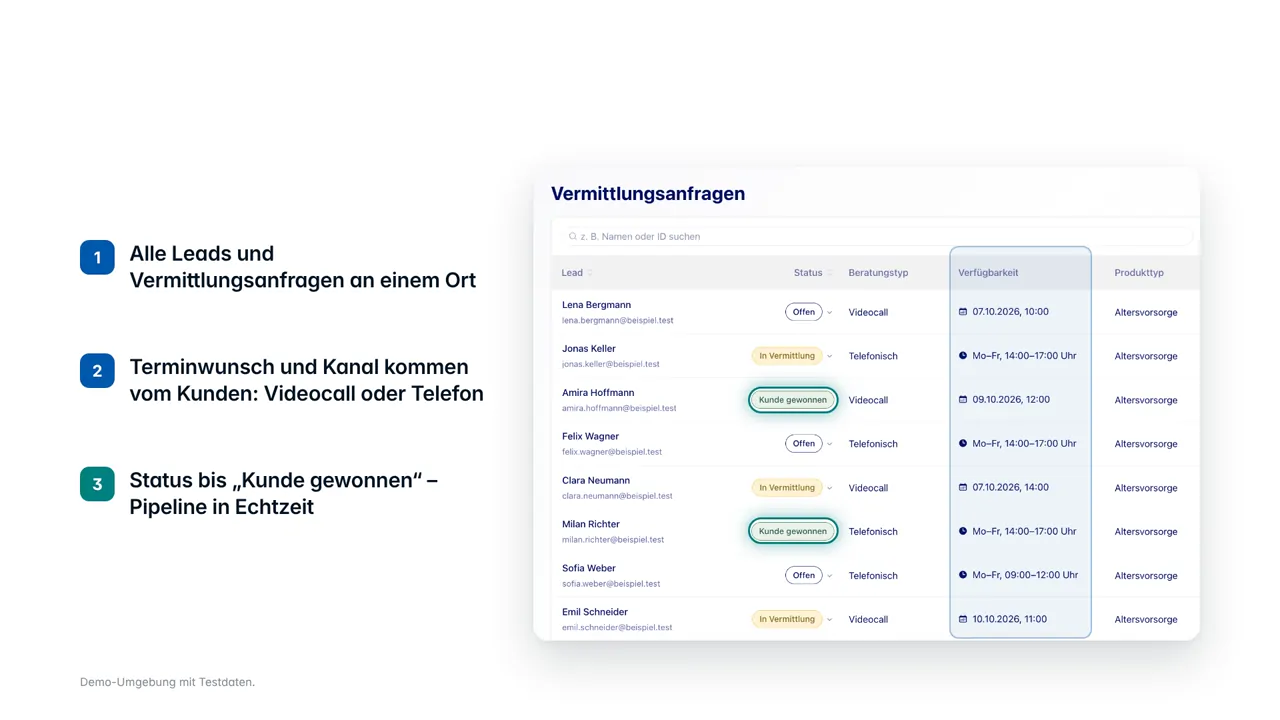
Every lead from the journey, the AI adviser or an invitation sits in one list with its advice type and availability; the appointment wish and the channel come from the customer.
When customer and adviser see different versions of the truth and every change arrives as a form in an inbox, queries grow with the book. Here both portals work on the same data, under your brand, and servicing is completed inside the portal.
Customer and adviser see different versions of the truth, and every contribution or address change arrives as a form in an inbox. That gap is where the queries come from that make servicing expensive, and they grow in proportion to the book.
Both portals work on the same data: contract status, contributions, allowances and documents on one side; the book, open tasks and conversation preparation on the other. Servicing cases are completed inside the portal rather than handed on.
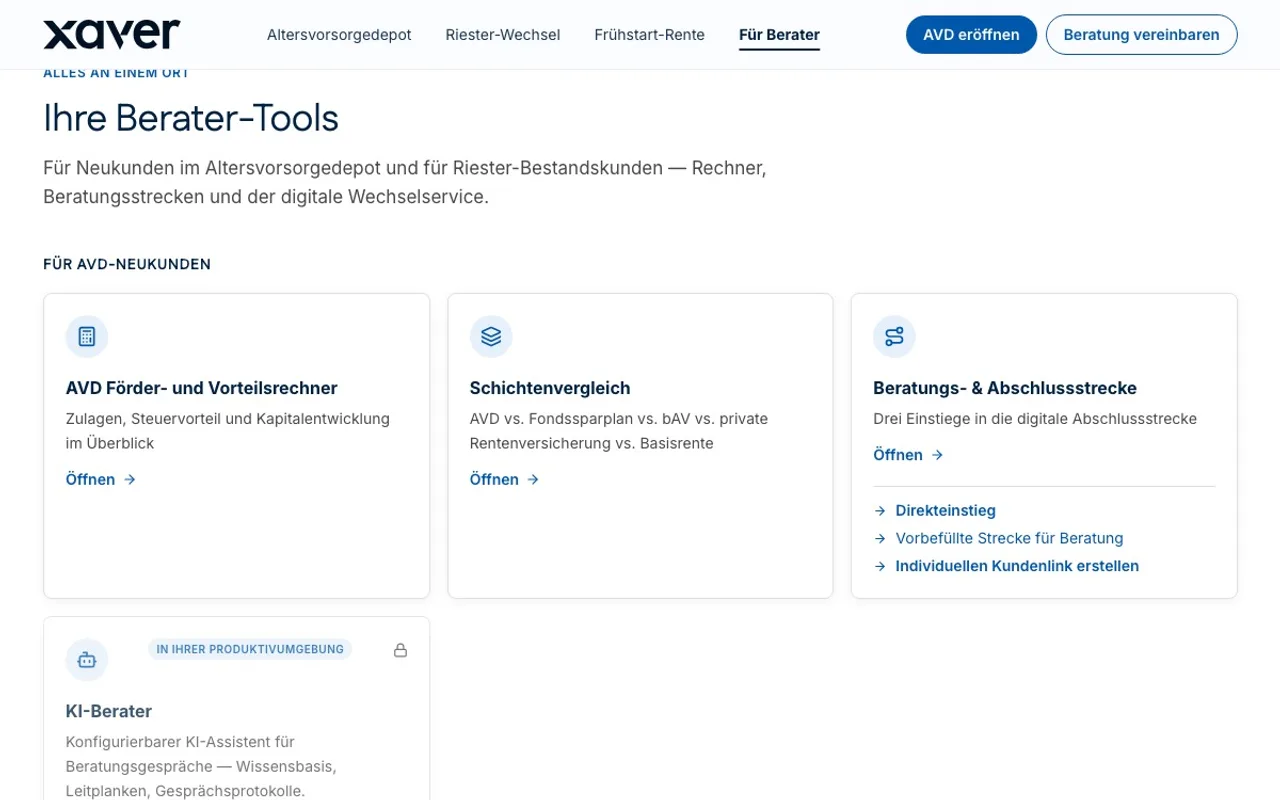
The adviser portal in the demo portal shows the tool groups for new AVD customers and for the Riester book, with their deep links into the journeys, the same case, continuing on the same data.
See the adviser portalEvery lead from the journey, the AI adviser or an invitation sits in one list with its advice type and availability; the appointment wish and the channel come from the customer.
A PDF flyer with a QR code, a social-media kit or a personal link, and every new lead is assigned to the adviser and their organisation automatically.
Contribution changes, address changes and allowance applications run inside the portal instead of arriving as a form in an inbox.
Academy and toolbench come with the portal rather than being bought in, and the portal carries your brand.
Customer and adviser portals on one set of data, under your brand, with servicing inside the portal instead of a form and an inbox.
The portals belong to the first stage of the service model; what is not completed there goes to the customer success team or to qualified advisers.
Answers in the portal, the AI adviser, automated chat and email
Onboarding, allowance and contract questions, contract changes, queries from sales
Financial questions and complaints, through a regulated complaints channel
The home screen, under the partner's brand: the “referral requests” dashboard with every lead and referral request in one place, per lead its status (open, in progress, customer won), the advice type (video call or phone), the availability the customer asked for and the product type. Then “invite customers” with a PDF flyer, a social-media kit and a personal link that assigns every new lead to the adviser and their organisation automatically, the academy with tutorials, product documents, FAQ and learning paths with a final test, and the toolbench with the subsidy and advantage calculator, pension-layer comparison, letter generator and AI-adviser configuration.
Yes. Both portals work on the same data. The gap between two versions of the truth is otherwise exactly what produces the queries that make servicing expensive.